Live Templates can save typing out/remembering syntax for common blocks.
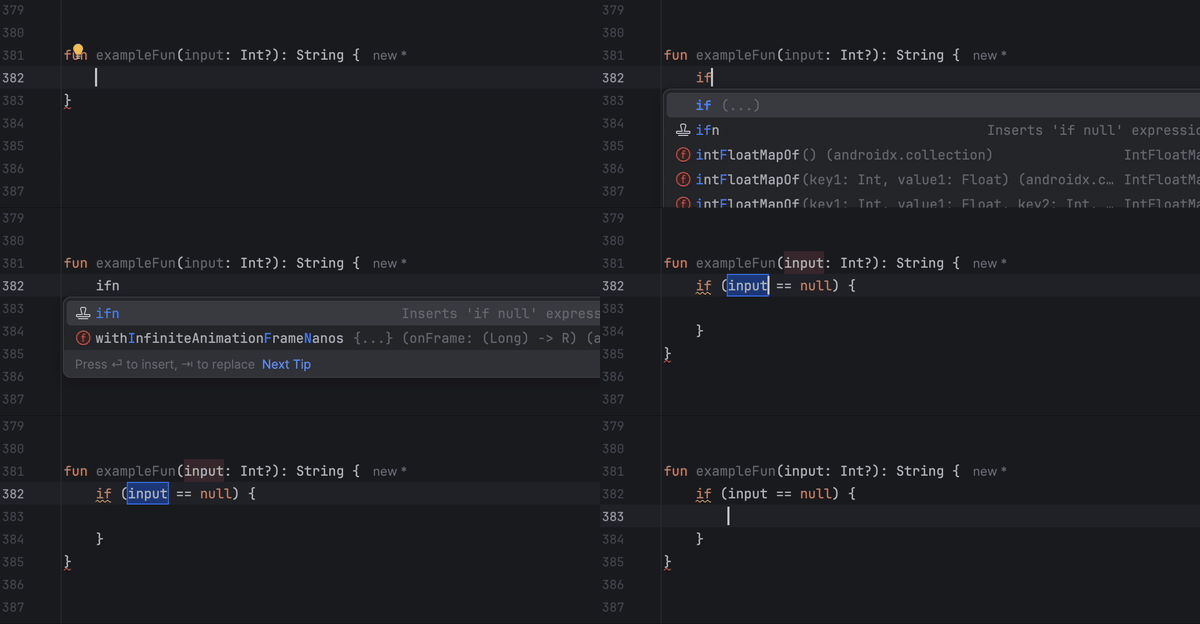
e.g. in a kotlin file type “comp” then TAB to create a compose function. You’ll get code like the following:
@Composable
fun $NAME$(modifier: Modifier = Modifier) {
    $END$
}Code language: Kotlin (kotlin)
Where you can type and tab between $NAME$ and $END$ so your focussed on what’s new rather than the common function definition code.
Some other examples to try out: toast, fun0, fun1, exfun, logd, ifn
Live templates can be viewed/edited/added to in Android Studio settings.

The variables within a live template can be edited and mapped to predefined functions so they pre-populate when the template is used

List of functions available: https://www.jetbrains.com/help/idea/template-variables.html#predefined_functions
logmo
I use my custom live template logmo when debugging, this way I can very quickly add logs anywhere and filter for just those debug logs in logcat (package:mine monkeys)
The live template:
android.util.Log.d("MONKEYS", "$FILE_NAME$, $METHOD_NAME$: $content$");Code language: Kotlin (kotlin)I set these variables:
FILE_NAME = fileName()
METHOD_NAME = methodName()
typing “logmo” then TAB outputs something like:
Log.d("MONKEYS", "DashboardViewModel.kt, saveFileNames: ");Code language: Kotlin (kotlin)With the cursor in position ready to type the “content” which is the part I’m interested in to begin with.
timmo
The same idea can be used with Timber
timber.log.Timber.d("MONKEYS", "$FILE_NAME$, $METHOD_NAME$: $content$");Code language: Kotlin (kotlin)With that live template setup typing “timmo” then TAB outputs something like:
Timber.d("MONKEYS", "DashboardViewModel.kt, saveFileNames: ");Code language: JavaScript (javascript)mutsf
Set up a private mutable state flow with a public state flow
private val _$StateName$: kotlinx.coroutines.flow.MutableStateFlow<$StateType$> = kotlinx.coroutines.flow.MutableStateFlow($StateDefault$)
val $StateName$ = _$StateName$.asStateFlow()Code language: Kotlin (kotlin)
This creates the following code where you just have to fill in the name, type, and initial value
private val _name: MutableStateFlow<$Type$> = MutableStateFlow($default$)
val name = _name.asStateFlow()Code language: Kotlin (kotlin)
aid
For android view xml I have a template for adding an android id attribute.
(there are default templates for layout width and height – lh, lhm, lhw)
android:id="@+id/$END$"Code language: JavaScript (javascript)$END$ defines where the cursor will end up. In this case meaning I can go straight to typing out the id I want
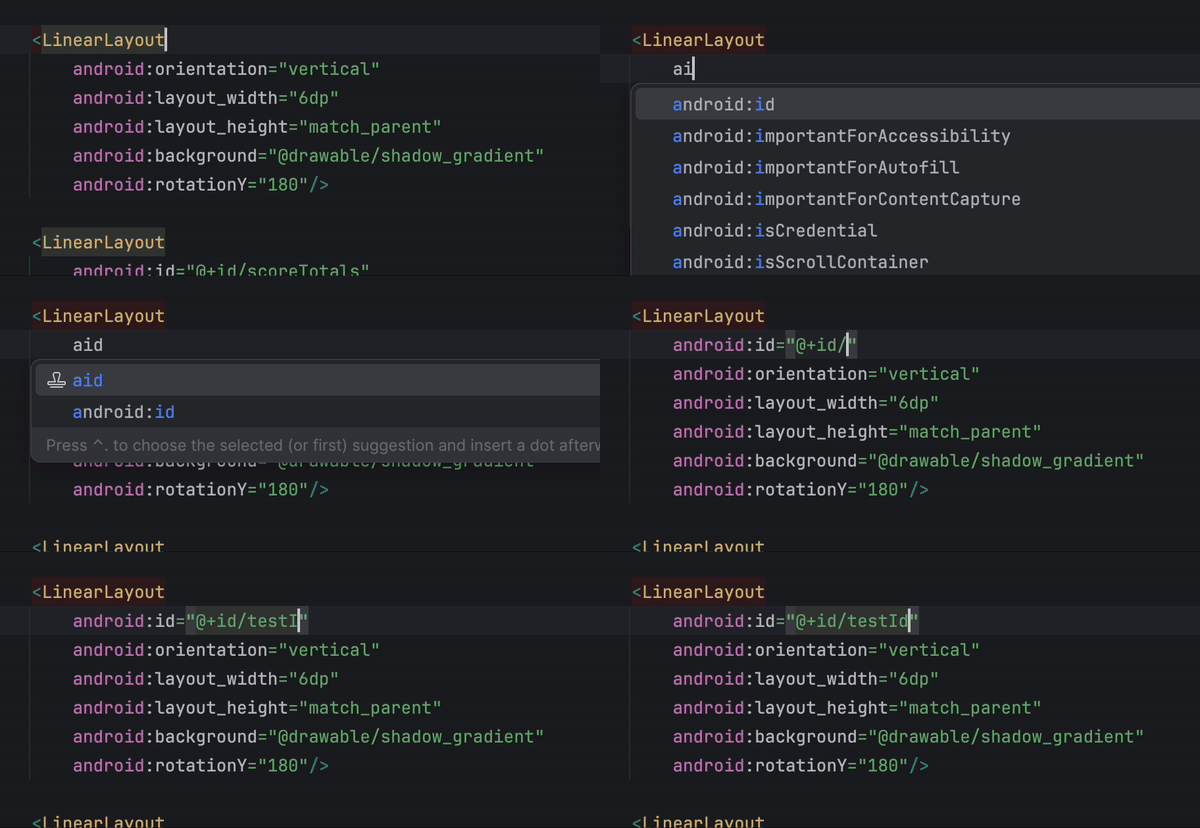
*this is maybe the least helpful example I’ve got here, as you can see in the gif android studio already knows what you want if you type aid, but it’s a useful example to see how live templates can work in other languages like xml.
delayed
Working in flutter I often want to delay certain states, like loading, so I get a good look at it and the transitions while testing.
await Future.delayed(Duration(seconds: 3));Code language: Dart (dart)decorBorder
When I’m debugging flutter layouts it’s often useful to see how big a widget is, for that I draw a border around it. I use the context action (option + enter) to wrap whatever widget in a container then use decorBorder to get:
decoration: BoxDecoration(border: Border.all(color: Colors.red)),Code language: Dart (dart)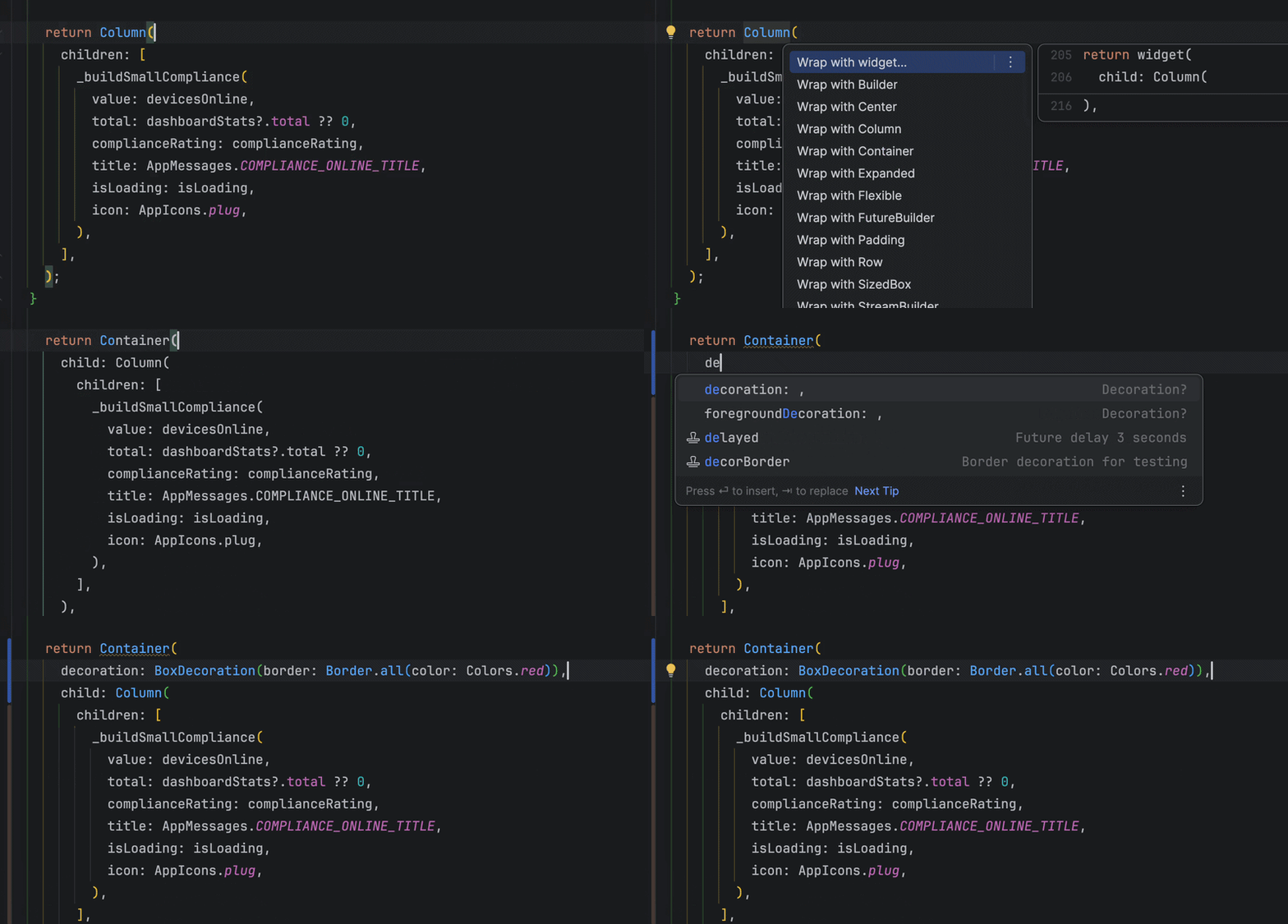
After that a quick cmd + \ hot reloads the app and I can see just how much space my widget is taking.
Related links:
Official docs: https://www.jetbrains.com/help/idea/using-live-templates.html
Another explanation: https://medium.com/google-developer-experts/using-live-templates-to-improve-android-development-productivity-ca796ff78678
More ideas for custom templates: https://proandroiddev.com/android-studio-live-code-templates-to-save-your-time-coding-ff230495bf80
Templates for Timber: https://github.com/jdsingh/android-studio-timber-log-templates-for-kotlin
Matt McKenna has a more detailed explanation of how to setup live templates: https://blog.mmckenna.me/learning-live-templates-for-jetpack-compose